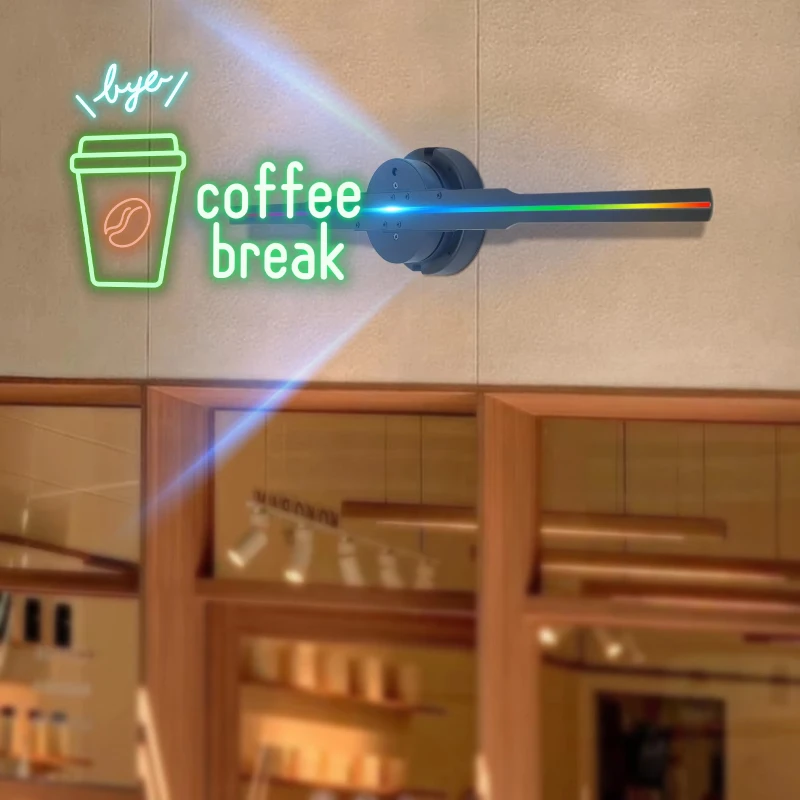
A 3d hologram projector looks like science fiction when you see it online. A sneaker floats in midair. A logo spins above a counter. A character appears to hover in front of a wall. Then you search how it works, because you want real answers, not hype. In real life, most “hologram” displays don’t create true Star Wars–style volumetric holograms. Instead, they use smart optics and fast motion to trick your eyes in a very convincing way. That’s still impressive, and it’s also useful for stores, events, trade shows, and even home décor. In this guide, you’ll learn how a 3d hologram projector works, what components it uses, what content it needs, and what to expect in typical US indoor spaces. You’ll also get a quick checklist and common Q&As so you can buy and use one with confidence.
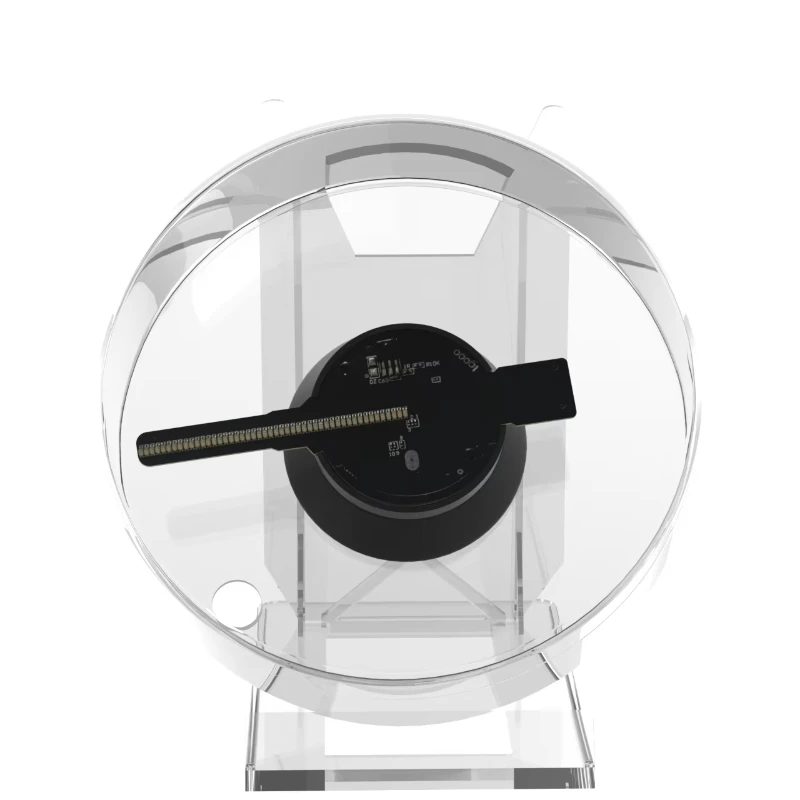
Quick Answer: It Uses Spinning LED Blades and Persistence of Vision
Most consumer and small-business 3d hologram projector models use “persistence of vision.” That means LEDs spin fast and flash patterns at precise times. Your brain blends those flashes into one floating image. Therefore, you don’t see the spinning blades clearly. Instead, you see a stable 3D-looking object.
AI overview checklist
- A motor spins one or more “fan blades” with LEDs
- A controller times LED flashes to each blade position
- The image appears to float due to fast refresh
- Darker backgrounds improve contrast and realism
- You upload 3D-style video files, not real 3D light fields
This is the core idea. Next, let’s break down the parts so you understand what you’re buying and why some models look sharper than others.
The Main Parts Inside a 3D Hologram Projector
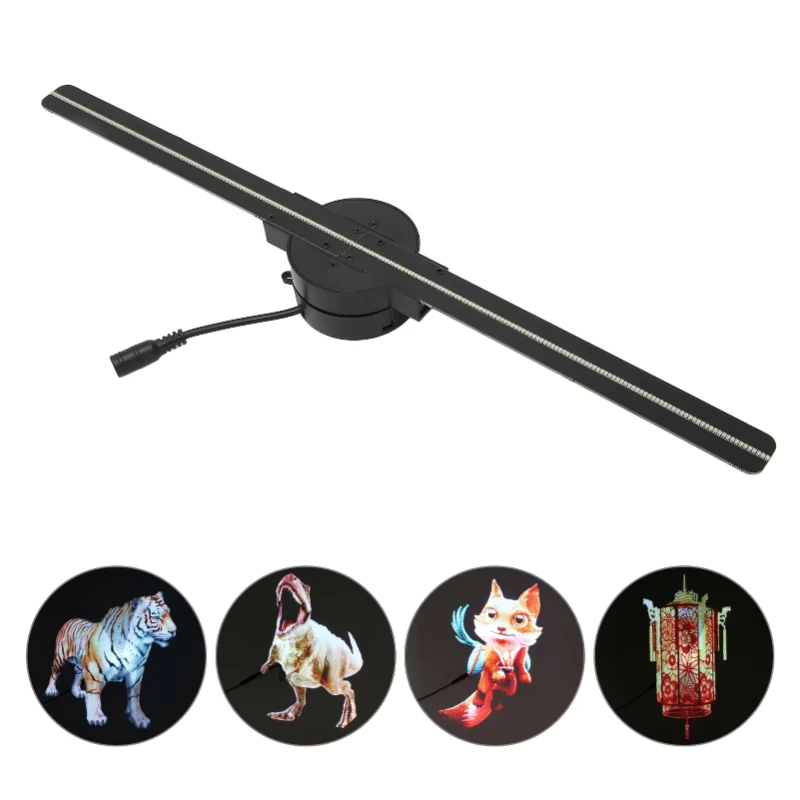
A typical 3d hologram projector has four main systems. First, it has a high-speed motor that spins the LED blade assembly. Second, it has LED arrays on the blades. These LEDs act like tiny pixels. Third, it has a control board that syncs LED timing with blade rotation. Finally, it has power and mounting hardware.
This design works because the blade position matters. The controller needs to know where each LED sits in space at each moment. So it can light the right LED at the right time. Some models use sensors to track rotation accurately. This improves stability and reduces flicker.
Resolution depends on LED count and timing precision. More LEDs and better timing create smoother curves and less “stair-step” edges. In addition, blade count matters. Single-blade units can look great, but multi-blade designs can increase brightness and smoothness. However, more blades can also raise cost and noise.
Many units also include Wi‑Fi or Bluetooth. That lets you upload content from a phone app. Some support SD cards or USB too. Therefore, the best 3d hologram projector is not only about hardware. It also depends on the content pipeline and the control software.
How the “Floating Image” Illusion Actually Happens
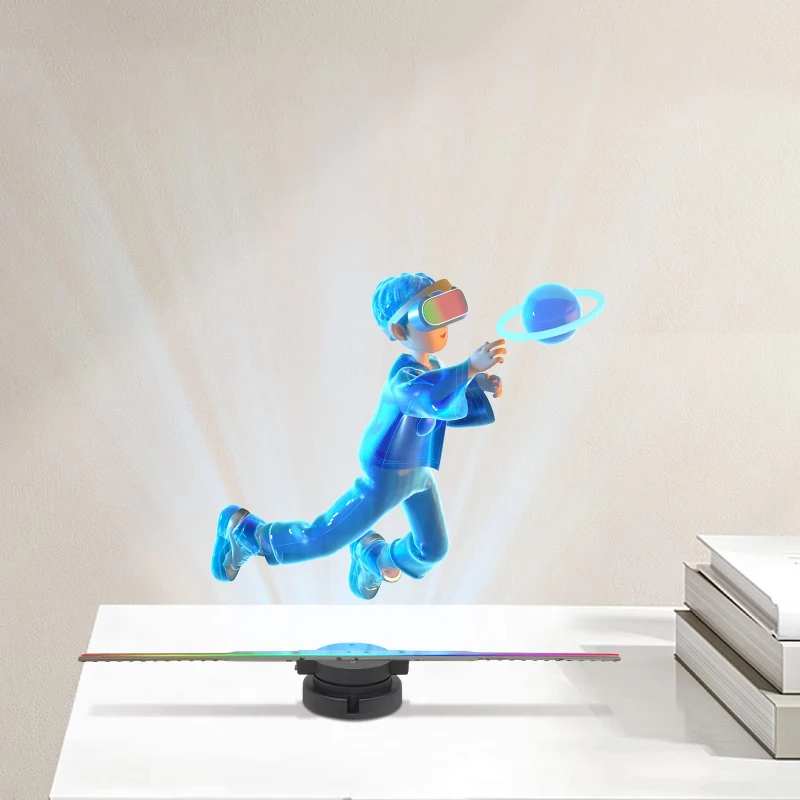
The key illusion is persistence of vision. Your eyes and brain hold light for a short time. So, if the 3d hologram projector flashes images fast enough, you see one continuous picture. This is similar to how movies and LED signs work. The difference is that the “screen” moves through space.
As the blade spins, each LED traces a circle. The controller treats that circle like a drawing canvas. It lights specific LEDs at specific angles. Over one full rotation, those light points form a complete frame. Then the system repeats frames many times per second. As a result, motion looks smooth.
To create a 3D effect, the content uses perspective cues. For example, it may show shading, parallax-like motion, and depth rotation. Your brain interprets those cues as 3D. Therefore, the display feels volumetric, even though it’s still light in a plane that moves fast.
Lighting conditions matter a lot. Bright sunlight washes out contrast. Darker environments make the illusion pop. Also, the viewing angle matters. Most units look best from the front and slightly off-axis. If you view from extreme sides, the image can look thinner or distorted. Next, let’s discuss “real holograms” versus the common projector style, so expectations stay realistic.
Is It a Real Hologram? What “3D Hologram” Means in Marketing
When people say 3d hologram projector, they usually mean a fan-based LED display. It creates a hologram-like effect, not a true light-field hologram. A true hologram records and reconstructs light waves, which is more complex. Consumer products rarely do that.
Still, the marketing term “hologram” makes sense in everyday language. The image appears to float. It also looks 3D to many viewers. For retail and events, that’s what matters. You want attention, motion, and a premium feel.
However, know the limits. The image won’t cast real light on nearby objects like a solid object would. It also won’t look perfect in bright daylight. In addition, it won’t create different views for each eye in the way VR does. It relies on visual cues and motion.
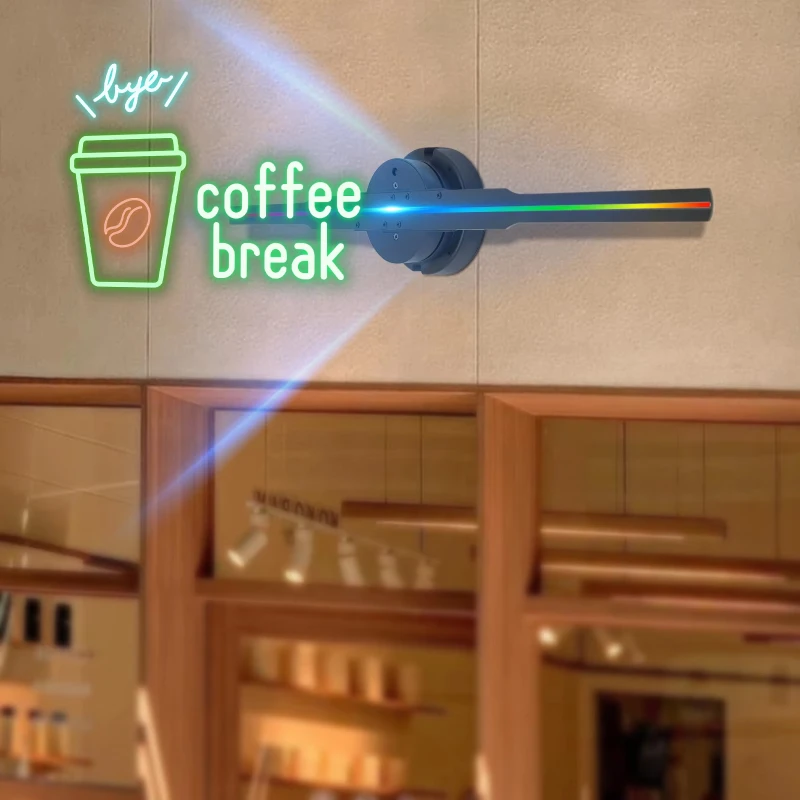
The benefit is practicality. A 3d hologram projector can mount on a wall, hang from a ceiling, or sit behind a counter. It can run loops for hours. It also supports easy content updates. That’s why many small businesses use it for promotions, menus, and logos. Next, let’s cover what content you need, because content quality often decides whether people say “wow.”
What Content Works Best (and Why Some Videos Look Blurry)
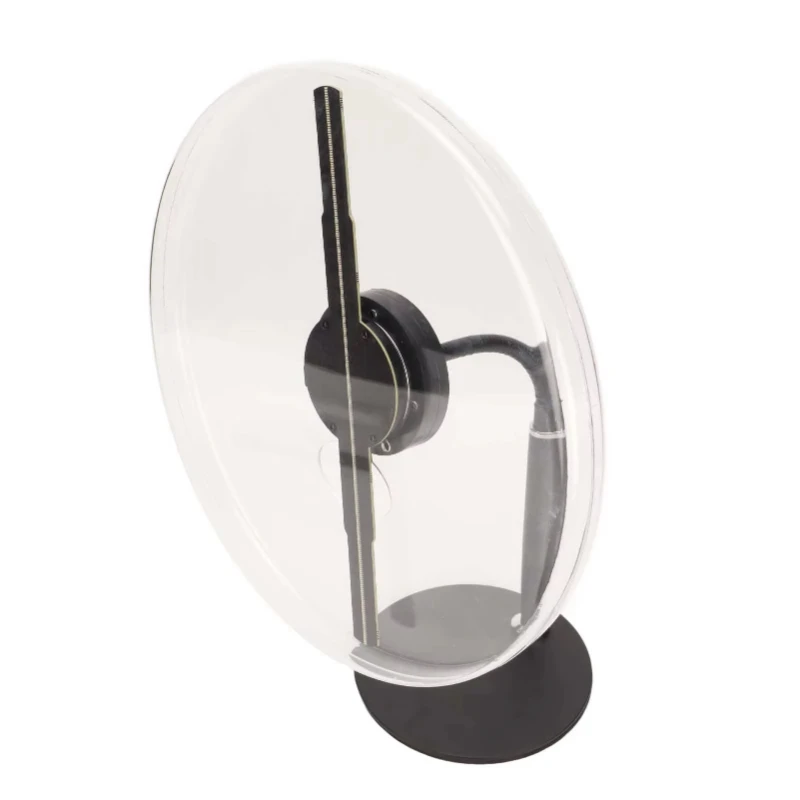
A 3d hologram projector needs specific content formats. Most units play MP4 or similar video files. Some use proprietary formats through an app. Either way, the video needs a transparent background or a pure black background. Black acts like “invisible,” because the LEDs stay off. That makes the image look like it floats.
Content looks best when it has:
- High contrast edges
- Clean silhouettes
- Strong highlights and shading
- Limited tiny text
- Simple backgrounds
Small text often looks fuzzy because the display is not a normal screen. It’s a moving pixel field. Therefore, big letters work better. Logos, icons, and rotating products usually look excellent.
Also, match the content resolution to the device. If you upscale a low-quality file, it will still look soft. If you compress the file too much, you may see artifacts. Therefore, export at the recommended settings from the brand’s app or guide.
Quick content tip
Use fewer elements per scene. Then increase size and contrast. Your message becomes readable from farther away.
Great hardware with weak content looks average. Meanwhile, a mid-range 3d hologram projector with optimized content can look premium. Next, let’s talk about real-life installation and safety, because these devices spin fast.
Real-Life Setup: Placement, Power, Noise, and Safety
Setup is usually simple, but details matter. First, choose a stable mount. A 3d hologram projector spins at high speed, so it needs a solid wall bracket or ceiling mount. Loose mounting can cause vibration and noise. It can also reduce image stability.
Second, plan viewing distance. Many displays look best from several feet away. Too close, and you may notice the blade motion. Too far, and small details disappear. Therefore, think about your audience position. For a retail counter, front-facing placement works well. For trade shows, hang it higher to avoid touch risk.
Safety matters. Keep it out of reach of kids and pets. Many units include a protective cover, but you should still avoid contact. Also, keep hair, cords, and decorations away from the spinning area.
Noise varies by model. Most produce a soft fan-like sound. In a store or event, you won’t notice it. In a quiet home office, you might. Therefore, check reviews for noise level if you plan indoor home use.
Finally, control lighting. Avoid placing it under direct spotlights or near windows. More contrast makes the 3d hologram projector look sharper and brighter. Next, let’s cover use cases and how to pick the right size.
Choosing the Right Size and Specs for Your Use Case
Shoppers often assume “bigger is always better.” However, size must match space and message. A large 3d hologram projector can overwhelm a small counter area. It can also look pixelated if content isn’t designed for that size.
Start with your goal:
- Logo display: medium size, high brightness, clean edge content
- Product showcase: larger size, higher resolution, smooth rotation animations
- Directional signage: medium size, big arrows, minimal text
- Home décor: quieter model, stable mount, soft content loops
Then check specs that matter:
- Pixel density / resolution: higher is smoother
- Brightness: higher helps in brighter rooms
- Blade count: can improve brightness and stability
- App reliability: affects your workflow
- Content support: file types and templates
Also, check whether the unit supports “multi-unit splicing.” Some setups align several fans to create a larger combined image. That can look impressive, but it requires careful calibration.
Choose a 3d hologram projector that fits your environment first. Then upgrade content quality. That gives the best return for attention and clarity.
PAA: Common Questions About 3D Hologram Projectors
Do 3D hologram projectors really make holograms?
Most create a hologram-like illusion using spinning LEDs. They look 3D, but they don’t generate true volumetric holograms.
Can you see a hologram projector in daylight?
You can, but it looks best indoors or in shade. Bright daylight reduces contrast and visibility.
What files do hologram projectors use?
Many play MP4 or app-converted files with black backgrounds. Some brands use proprietary formats for best results.
Are hologram fan projectors safe?
Yes when mounted securely and placed out of reach. Avoid touching the spinning area and keep objects away from it.
Final Takeaway: What a 3D Hologram Projector Really Does for You
A 3d hologram projector works by spinning LED blades and timing light precisely. Your eyes blend that light into a floating, 3D-looking image. It’s not a sci-fi hologram, but it delivers strong real-world impact. It grabs attention, upgrades displays, and makes simple messages feel premium.
Final checklist before you buy
- Pick size based on viewing distance and space
- Choose higher brightness for brighter rooms
- Use high-contrast content with black backgrounds
- Mount securely and keep it out of reach
- Plan simple maintenance and content updates
When you understand the tech, you can set better expectations and get better results. Most importantly, you can choose the right model for your space and content style. If you want a display that turns heads without complex setup, a 3d hologram projector can be a smart choice. With the right content and placement, your 3d hologram projector will look impressive in real life, not just in ads.