







Results for cat5e patch cables
High-performance Cat5e patch cables deliver reliable, high-speed network connectivity for home, office, and surveillance systems—ideal for Ethernet, CCTV, POE, and router setups with durable, shielded, and properly terminated designs.
When users search for cat5e patch cables, they’re typically seeking a dependable, cost-effective solution for establishing stable wired network connections. These cables are essential for modern networking needs, especially in environments requiring consistent data transfer rates up to 1 Gbps. The search intent centers on performance, compatibility, durability, and ease of installation—factors that directly impact network reliability. Whether connecting a computer to a router, setting up a POE-powered IP camera system, or extending a LAN network across a home or office, Cat5e patch cables are the go-to choice for balanced performance and affordability.
For optimal results, follow these steps:
Avoid common pitfalls: using non-certified cables, improper termination, or running cables near power lines. Always verify the product’s certification (CE recommended) and origin (e.g., Mainland China) for quality assurance. For high-demand applications like CCTV or POE devices, consider upgrading to Cat6 or Cat7 cables—but for most standard uses, Cat5e remains the ideal balance of speed, cost, and reliability.
When users search for cat5e patch cables, they’re typically seeking a dependable, cost-effective solution for establishing stable wired network connections. These cables are essential for modern networking needs, especially in environments requiring consistent data transfer rates up to 1 Gbps. The search intent centers on performance, compatibility, durability, and ease of installation—factors that directly impact network reliability. Whether connecting a computer to a router, setting up a POE-powered IP camera system, or extending a LAN network across a home or office, Cat5e patch cables are the go-to choice for balanced performance and affordability.
- Cat5e Patch Cable
- A Category 5e (Enhanced) Ethernet cable designed for high-speed data transmission, supporting up to 1 Gbps over distances up to 100 meters. It features improved crosstalk reduction compared to standard Cat5, ensuring clearer signal integrity.
- Shielded vs. Unshielded
- Shielded Cat5e cables (STP) include a foil or braided shield to reduce electromagnetic interference (EMI), ideal for industrial or high-noise environments. Unshielded (UTP) versions are sufficient for most home and office use.
- Termination & Crimping
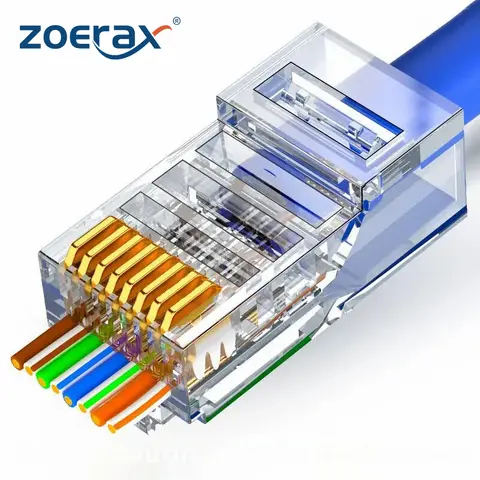
- Proper termination using RJ45 connectors is critical. A reliable crimping tool ensures secure, low-resistance connections. Always use a tester after crimping to verify continuity and performance.
For optimal results, follow these steps:
- Choose the correct cable length—common options include 1m, 3m, 5m, 10m, and 20m—to minimize cable clutter and signal loss.
- Ensure the cable is Cat5e certified and complies with TIA/EIA-568 standards for reliable performance.
- Use a high-quality crimping tool like the YHF-N567 for precise, ratcheting termination—avoid cheap tools that may damage conductors.
- Test the finished cable with a network cable tester to confirm all eight wires are properly connected and there are no shorts or opens.
- For outdoor or high-interference setups, select outdoor-rated, waterproof Cat5e cables with UV-resistant jackets and sealed connectors.
Avoid common pitfalls: using non-certified cables, improper termination, or running cables near power lines. Always verify the product’s certification (CE recommended) and origin (e.g., Mainland China) for quality assurance. For high-demand applications like CCTV or POE devices, consider upgrading to Cat6 or Cat7 cables—but for most standard uses, Cat5e remains the ideal balance of speed, cost, and reliability.
Cat5e Patch Cables 10M 15M 20M -AliExpress
Why Cat5e Patch Cables Are Essential for Reliable Network Connectivity
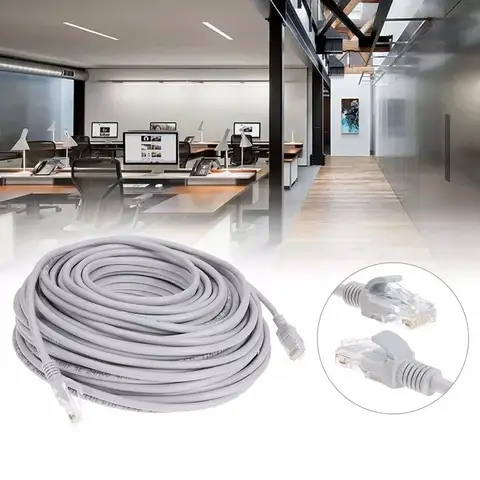
Cat5e patch cables are the backbone of modern wired network setups, offering high-speed data transmission up to 1 Gbps with minimal signal interference. Ideal for home offices, small businesses, and surveillance systems, these cables deliver consistent performance across a wide range of applications—from connecting routers and computers to powering IP cameras and PoE devices. Whether you're setting up a smart home network or upgrading your office infrastructure, choosing the right Cat5e patch cable ensures stable, future-ready connectivity.
Understanding the Search Intent Behind Cat5e Patch Cables
Users searching for cat5e patch cables are typically looking for reliable, high-performance Ethernet cables to establish or improve wired network connections. The intent is practical: they want to connect devices like computers, routers, switches, and IP cameras with minimal latency and maximum data integrity. Many are also concerned about durability, especially when installing cables in outdoor or high-traffic environments. The inclusion of terms like “patch,” “RJ45,” and “LAN” indicates a focus on plug-and-play solutions for structured cabling needs.
To meet this demand, it's crucial to understand the technical specifications and real-world performance differences between available options. The following section breaks down key factors—such as cable type, shielding, length, and application—to help users make informed decisions.
- Cat5e (Category 5e)
- A standardized twisted-pair Ethernet cable that supports data transfer speeds up to 1 Gbps over distances up to 100 meters. It's an enhanced version of Cat5, offering improved crosstalk reduction and signal-to-noise ratio.
- RJ45 Connector
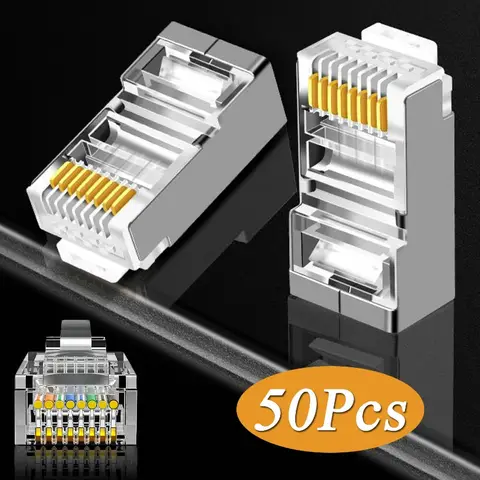
- A standard 8P8C modular connector used to terminate Ethernet cables. It ensures compatibility with most network devices, including routers, switches, and computers.
- Patch Cable
- A short Ethernet cable used to connect devices within a network, typically ranging from 0.5m to 10m. Designed for flexibility and ease of installation, patch cables are ideal for desktop setups and patch panels.
Key Considerations When Choosing Cat5e Patch Cables
When selecting a Cat5e patch cable, consider the following factors to avoid common pitfalls:
- Shielding: Unshielded (UTP) cables are sufficient for indoor use, but shielded (STP) versions are better for environments with electromagnetic interference (e.g., near power lines or industrial equipment).
- Length: Choose the shortest practical length to reduce signal degradation. Cables longer than 100m may not support full Gigabit speeds.
- Durability: Look for cables with robust jackets (e.g., PVC or LSZH) and strain relief boots to prevent damage during frequent plugging/unplugging.
- Certification: CE certification ensures compliance with European safety and environmental standards, though it’s not a guarantee of performance.
Real-World Application: Setting Up a Home Surveillance System
Imagine you're installing a POE IP camera system for your home security. You need reliable, long-lasting cables to connect each camera to your network switch. Here’s how to solve this challenge step by step.
- Assess your setup: Determine the number of cameras, their locations, and the distance from each camera to the nearest network switch or router.
- Choose the right cable: For outdoor installations, select a waterproof, outdoor-rated Cat5e patch cable with UV-resistant jacketing and sealed connectors to prevent moisture damage.
- Verify compatibility: Ensure the cable supports PoE (Power over Ethernet) if your cameras require power through the network cable. Cat5e is fully compatible with PoE standards (IEEE 802.3af/at).
- Install with care: Avoid sharp bends or crushing the cable during installation. Use conduit or cable clips for protection, especially in high-traffic areas.
- Test the connection: After installation, use a network tester to verify signal integrity and confirm full Gigabit speeds.
Comparing Top Cat5e Patch Cable Options
Below is a comparison of three popular products that match the cat5e patch cables keyword, based on real-world specifications and use cases.
| Product | Cable Type | Length Options | Shielding | Application | Special Features |
|---|---|---|---|---|---|
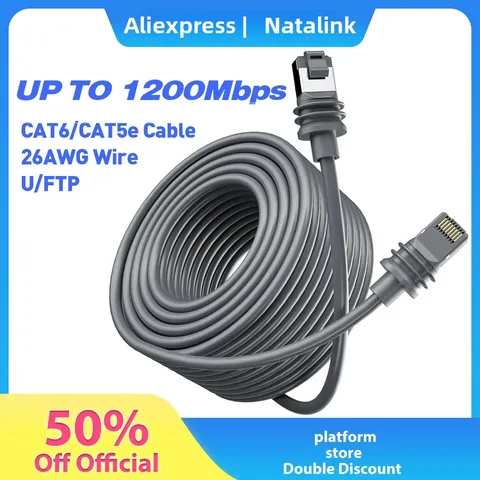
| High Speed RJ45 Patch Outdoor Waterproof LAN Cable | Cat5 | 1m, 2m, 3m, 5m, 10m, 15m, 20m, 25m, 30m, 50m | No | Outdoor, CCTV, PoE IP Camera | Waterproof, UV-resistant, RJ45 connectors |
| RJ45 Crimping Tool (YHF-N567) | Not applicable | Not applicable | Not applicable | DIY Cable Assembly | Ratcheting mechanism, carbon steel, multifunctional |
| Network CAT7 Ethernet Cable (CY) | Cat7 | 0.5m, 1m, 2m, 3m, 5m, 10m, 15m, 20m, 25m, 30m | Yes (Shielded) | High-speed networking, computers, routers | Supports 10 Gbps, white/black color options |
> Summary of Recommendations:
> - For outdoor or surveillance use, the Cat5e outdoor waterproof cable is the best choice due to its durability and weather resistance.
> - For DIY cable-making, the YHF-N567 crimping tool is essential for creating custom-length cables with secure RJ45 terminations.
> - For future-proofing high-speed networks (e.g., 10 Gbps), consider Cat7 cables, though they are overkill for standard Cat5e applications.
Final Tips for Optimal Performance
- Always use certified cables with proper labeling to ensure compliance with network standards.
- Avoid running Ethernet cables parallel to power lines to reduce electromagnetic interference.
- Label each cable at both ends for easier troubleshooting and maintenance.
- Keep cable runs under 100 meters to maintain Gigabit speeds.
By selecting the right cat5e patch cables and following best practices, you can build a stable, high-performance network that meets both current and future needs—whether for home, office, or security applications.