








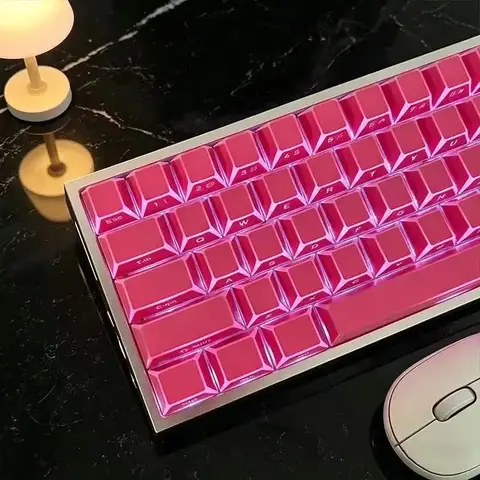



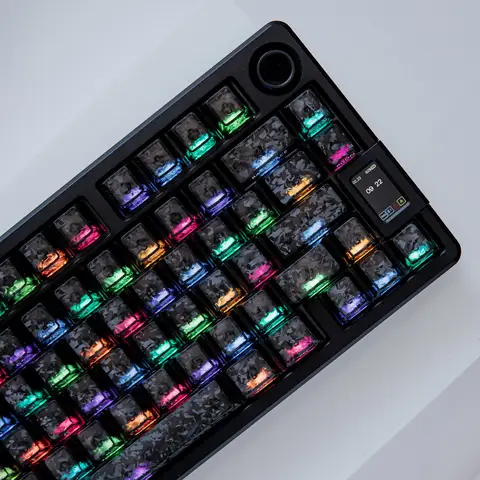
Results for keycap
Keycaps are essential components for mechanical keyboards, offering customizable aesthetics, tactile feedback, and long-term durability. Whether you're a gamer, typist, or enthusiast, choosing the right keycap set can significantly enhance your typing and gaming experience.
The search intent behind keycap typically revolves around users seeking high-quality, compatible, and customizable keycap replacements or upgrades for their mechanical keyboards. These users are often looking to personalize their setup, improve typing comfort, or repair worn-out keys. The demand spans from beginners exploring their first keyboard customization to advanced users building premium, RGB-lit mechanical setups with specific switch types and layouts.
When selecting keycaps, consider the following factors:
For users upgrading their setup, investing in a PBT keycap set with a custom profile can offer both aesthetic appeal and long-term performance. Avoid cheap ABS keycaps if you're a heavy typist or gamer—over time, they may develop shine and wear down quickly.
Whether you're replacing a single worn key or building a full custom keyboard, the right keycap set enhances both function and style. Always verify compatibility with your keyboard model before purchasing to avoid unnecessary returns or installation issues.
The search intent behind keycap typically revolves around users seeking high-quality, compatible, and customizable keycap replacements or upgrades for their mechanical keyboards. These users are often looking to personalize their setup, improve typing comfort, or repair worn-out keys. The demand spans from beginners exploring their first keyboard customization to advanced users building premium, RGB-lit mechanical setups with specific switch types and layouts.
- Keycap
- A small, molded plastic or metal piece that sits on top of a keyboard switch, bearing the character or symbol for a specific key. Keycaps are designed to be durable, tactile, and compatible with various switch types and keyboard layouts.
- Switch Type Compatibility
- Refers to the mechanical design of the keyboard switch (e.g., Cherry MX, Gateron, Kailh) that determines whether a keycap will fit properly. Most keycaps use a standard 1.5mm stem, but some require specific profiles like Cherry MX or Alps-style stems.
- Keycap Profile
- The shape and contour of a keycap, such as OEM, SA, DSA, or XDA. Profile affects typing comfort and visual appeal. For example, SA profile offers a tall, sculpted feel ideal for touch typists.
When selecting keycaps, consider the following factors:
- Check your keyboard’s switch type – Ensure the keycap stem matches your switch (e.g., Cherry MX, Gateron). Most modern keycaps use a standard 1.5mm stem, but some brands like Alps or older models may differ.
- Choose the right profile – OEM is the most common for standard keyboards; SA offers a premium, sculpted feel; DSA is flat and uniform, ideal for minimalist builds.
- Material matters – ABS plastic is lightweight and affordable but prone to shine over time. PBT plastic is more durable, resistant to wear, and maintains texture longer.
- Consider layout and keyset size – Full-size, TKL (tenkeyless), or 60% layouts require different keycap sets. Ensure the set includes all necessary keys, including function keys, arrow keys, and spacebar.
- Look for quality printing – Double-shot molded or laser-etched keycaps resist fading and wear better than sticker-based labels.
For users upgrading their setup, investing in a PBT keycap set with a custom profile can offer both aesthetic appeal and long-term performance. Avoid cheap ABS keycaps if you're a heavy typist or gamer—over time, they may develop shine and wear down quickly.
Whether you're replacing a single worn key or building a full custom keyboard, the right keycap set enhances both function and style. Always verify compatibility with your keyboard model before purchasing to avoid unnecessary returns or installation issues.