











Results for diagnostic trouble code
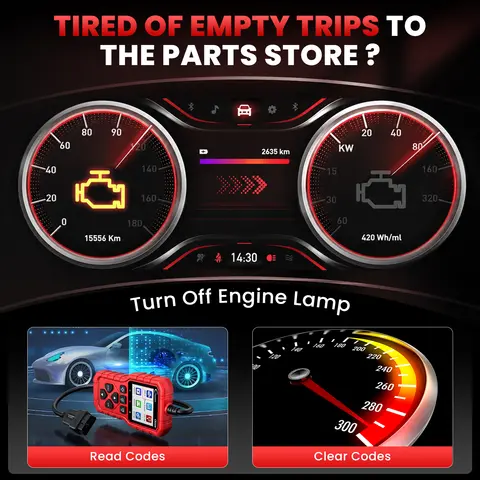
When it comes to diagnosing vehicle issues, diagnostic trouble code (DTC) is the essential starting point for identifying and resolving problems in modern automobiles. These codes are generated by a vehicle’s onboard computer system when a fault is detected in any of its components, from engine performance to emissions control. Understanding and interpreting DTCs accurately can save time, prevent unnecessary repairs, and ensure your vehicle runs efficiently. The right diagnostic tool—like the XTOOL D8W, GODIAG GD101, or MPPS V21 Unlock Version—can decode these codes instantly and provide actionable insights.
For reliable DTC reading and troubleshooting, choose a tool with multi-protocol support, real-time data streaming, and software update capabilities. The XTOOL D8W stands out with its 8-inch capacitive touch screen (1024x768 resolution), Android 10 OS, 2GB RAM + 64GB ROM, and 3 years of free over-the-air updates—ensuring compatibility with evolving vehicle systems. It supports 42+ services, including ECU coding, active testing, VIN auto-scan, and I/M readiness checks, making it ideal for both DIY users and professional mechanics.
The GODIAG GD101 J2534 cable offers a budget-friendly alternative for users needing J2534 and ELM327 compatibility, especially for older or non-standard vehicles. It supports ECU reprogramming and works with software like Forscan and HDS. However, it lacks a built-in screen and requires a laptop, so it’s better suited for experienced users.
For advanced tuning and unlocking, the MPPS V21 Unlock Version provides infinite reset capability and breakout cable support, ideal for performance modifications. However, use caution—improper use can trigger permanent fault logs or warranty voids.
Always prioritize tools with CE, FCC, and RoHS certifications for safety and compliance. Choose based on your vehicle’s year, make, and model, and ensure the tool supports your region’s language and protocol standards. With the right DTC diagnostic tool, you’re not just reading codes—you’re diagnosing smarter.
- Diagnostic Trouble Code (DTC)
- A standardized fault code stored in a vehicle’s ECU (Electronic Control Unit) when a malfunction is detected. DTCs follow OBD-II standards and are typically formatted as a five-character alphanumeric code (e.g., P0301), where the first letter indicates the system (P = Powertrain, B = Body, C = Chassis, U = Network).
- Bi-directional Communication
- A feature allowing the scanner to not only read DTCs but also send commands to vehicle systems (e.g., resetting sensors, activating solenoids), enabling real-time testing and verification of repairs.
- OBD2 Scanner
- An onboard diagnostics tool that connects to a vehicle’s OBD2 port (usually under the dashboard) to retrieve real-time data and DTCs using standardized protocols like J1979 and CAN.
For reliable DTC reading and troubleshooting, choose a tool with multi-protocol support, real-time data streaming, and software update capabilities. The XTOOL D8W stands out with its 8-inch capacitive touch screen (1024x768 resolution), Android 10 OS, 2GB RAM + 64GB ROM, and 3 years of free over-the-air updates—ensuring compatibility with evolving vehicle systems. It supports 42+ services, including ECU coding, active testing, VIN auto-scan, and I/M readiness checks, making it ideal for both DIY users and professional mechanics.
- Connect the scanner to your vehicle’s OBD2 port.
- Power on the device and select “Read DTCs” from the main menu.
- Review the list of active and pending codes, noting the system and description.
- Use “Clear DTCs” only after repairs are confirmed to avoid false resets.
- Run a follow-up diagnostic to verify the issue is resolved.
The GODIAG GD101 J2534 cable offers a budget-friendly alternative for users needing J2534 and ELM327 compatibility, especially for older or non-standard vehicles. It supports ECU reprogramming and works with software like Forscan and HDS. However, it lacks a built-in screen and requires a laptop, so it’s better suited for experienced users.
For advanced tuning and unlocking, the MPPS V21 Unlock Version provides infinite reset capability and breakout cable support, ideal for performance modifications. However, use caution—improper use can trigger permanent fault logs or warranty voids.
Always prioritize tools with CE, FCC, and RoHS certifications for safety and compliance. Choose based on your vehicle’s year, make, and model, and ensure the tool supports your region’s language and protocol standards. With the right DTC diagnostic tool, you’re not just reading codes—you’re diagnosing smarter.